It counts school days
The answer clock on every candidate runs in school days around your district’s closed days, so a submission sent the Friday before a break is not marked late on Monday.
Fullbench™ VMS
Fullbench VMS was built for K-12 and for nothing else. Its answer clock counts school days around your closed days, its openings carry IDEA and Title I codes through to the invoice, its hours are approved at the building, and its credential lists start with certifications and clearances. Every opening, agency, candidate, credential, hour and invoice line sits in one system, and the Fullbench team runs it for your district as your K-12 managed staffing provider (MSP).
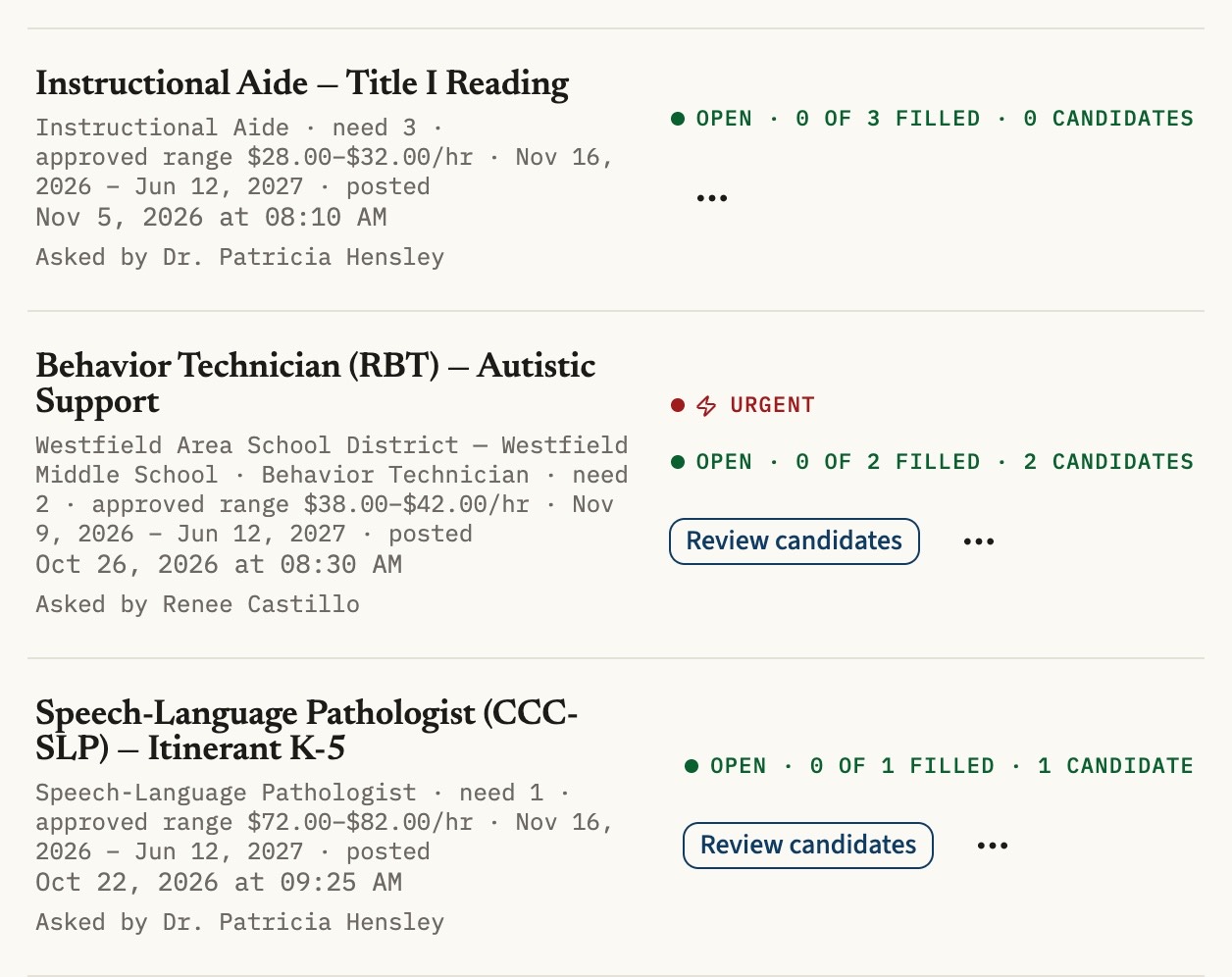
Fullbench VMS is vendor management software built only for K-12 school districts and charter schools: it releases each opening to every approved staffing agency at one recorded instant, keeps every candidate decision with the district, holds a start date until every required document has been reviewed and approved, and turns approved hours from every agency into one invoice.
Built only for schools
A district does not hire the way a hospital or a warehouse does. It hires by building and by program, around a school calendar, with clearances that have to be on file before anyone meets a student, out of funds that have to be reported separately. Fullbench VMS starts from those facts.
The answer clock on every candidate runs in school days around your district’s closed days, so a submission sent the Friday before a break is not marked late on Monday.
Tag an opening to IDEA, Title I or a local fund once. The code follows the placement to the invoice, where each fund gets its own subtotal.
The principal or the office that saw the person work approves the time, from the school, not from a central desk that has to ask.
Certifications, licenses, clearances and health screenings, set by your district for each role. No start date while one is missing, unreviewed or expired.
Special education teachers, related-services providers, paraprofessionals, nurses and long-term substitutes, each with its own rate range and document list.
Spend by school, role and fund, an agency scorecard, and a quarterly neutrality report with a CSV for the board packet.
Openings and release
The problem it removes. An opening that goes out by phone and email, one agency at a time, with a head start for whoever was called first.
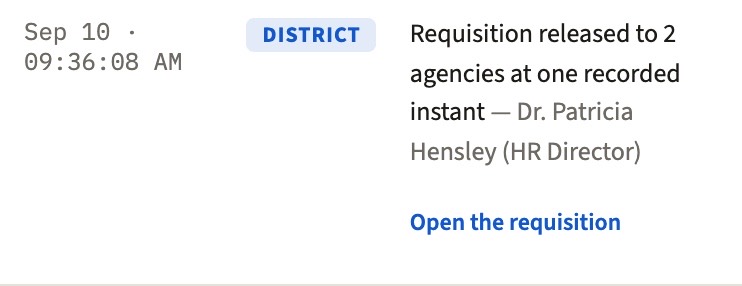
An opening is posted once, with the role, the building, the headcount, the dates and the rate range your office approved for the role. Fullbench VMS releases it to every agency on your approved roster at one recorded time, so the whole bench starts working it together.
Candidates
The problem it removes. Resumes in five inboxes in five formats, and nobody able to say who has waited longest for an answer.
Submissions from every agency land in one queue, longest waiting first, each with the agency’s name, the submitted rate and how many required documents are approved. An agency cannot advance its own candidate a single step: interview, offer, decline and start date are your office’s decisions, each recorded with a name and a time.
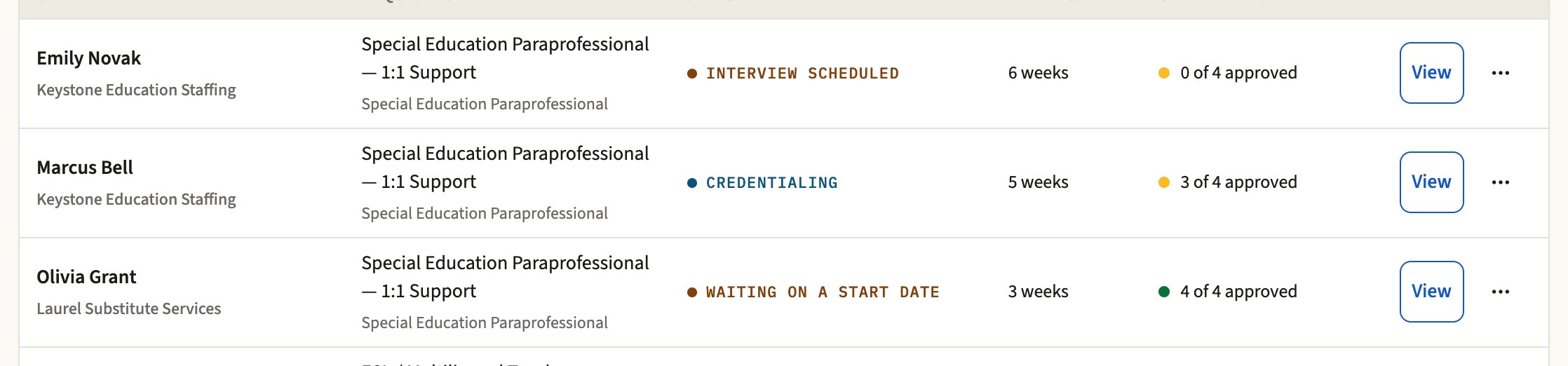
Each submission shows when your answer is due, counted in school days around your district’s closed days, so good candidates do not go stale in a queue.
A decline takes one pick from a short list of reasons. The agency learns why, and your reporting shows the pattern.
Two agencies, the same role, two rates: both on one screen, inside the range your office approved.
Credentials and clearance
The problem it removes. Every agency keeping its own files to its own standard, and a lapsed clearance that surfaces after the person is already in a classroom.
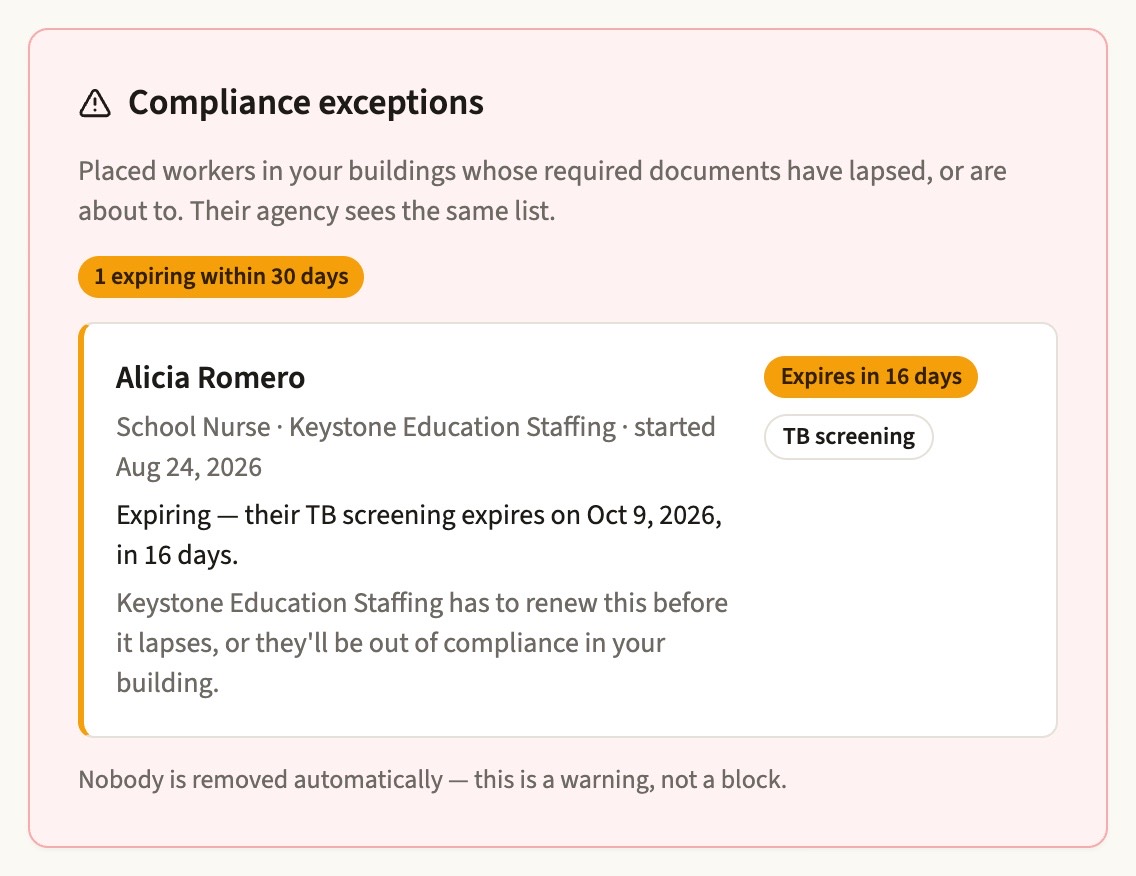
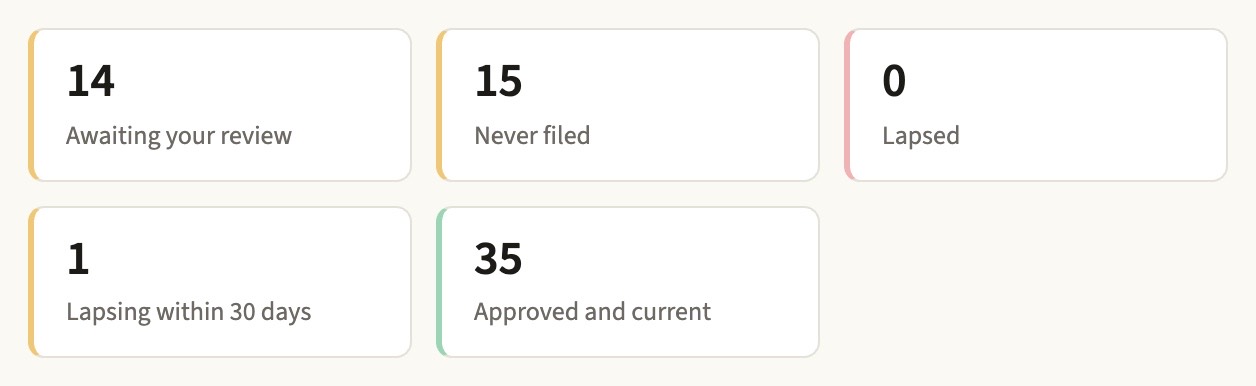
Your district sets the required documents for each role: certifications, licenses, clearances, health screenings. The agency uploads each one once, the Fullbench team reviews, approves and tracks them for your district, and Fullbench VMS will not set a start date while anything is missing, unreviewed or expired.
Time and invoicing
The problem it removes. Paper timesheets, a different portal for each agency, and a stack of invoices on different cycles for the business office to reconcile by hand.
Everyone placed through the program clocks in and out in Fullbench VMS, whichever agency employs them. Your schools approve the hours or send a sheet back, and only approved hours reach the one itemized invoice your business office pays, at the rates your office approved.

The principal or the office that saw the person work approves the time. An unscheduled shift is held and verified before it can be approved.
Each line names the worker, the agency, the role, the dates, the hours and the rate. One payment replaces a stack of agency invoices on different cycles.
Lines carry the funding code from the opening, with a subtotal for each fund, or one invoice per fund when your business office prefers it.
Agency scorecards and reporting
The problem it removes. A renewal decision made on impressions, because nobody can show which agency answered, how fast, and who actually filled the role.
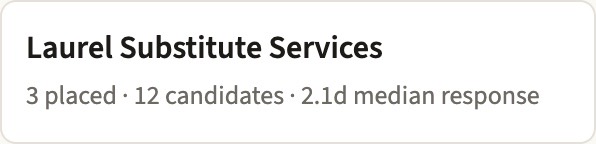
Because every agency receives each opening at the same recorded time, their numbers compare cleanly: openings received, openings answered, median response time, candidates sent, placements and win rate. A quarterly neutrality report shows how openings and placements were distributed across your roster, with a CSV for the board packet.

Who works in it
Each person sees the part that is theirs to decide, and nothing they have no reason to see.
Posts or phones in the need, reviews candidates from every agency, chooses who to hire, and sets the start date.
See who is assigned to their building and approve the hours those people worked.
Receives one itemized invoice built only from approved hours, with spend by agency, school, role and fund.
Receive every opening at the same recorded time, submit candidates under their own name, inside the rate range for the role, and track each one’s status. How agencies take part →
Onboards your agencies, works every opening, chases, reviews and approves the documents, verifies the exceptions and prepares the invoice. Your office decides; our team does the running.
At a glance
| Module | What it does | Who decides |
|---|---|---|
| Openings and release | Posts each opening once and releases it to every approved agency at one recorded instant, with the rate range for the role and your funding code attached. | Your office sets the role and the roster, and approves the rate range. |
| Candidates | One queue for every agency’s submissions, with rates side by side, an answer clock and recorded reasons on every decline. | Only your district advances or declines a candidate. |
| Credentials and clearance | Your required documents by role, each one reviewed and approved by the Fullbench team, with a start date held until the file is complete and a 30-day expiry watch afterwards. | Your district decides which documents each role requires. |
| Time | One clock for every agency’s people, with unscheduled shifts held for verification. | Your schools approve the hours. |
| Invoicing | One itemized invoice across every agency, built only from approved hours at approved rates, with subtotals by fund. | Your business office pays one invoice. |
| Scorecards and reports | Agency response time, fill and win rate from the shared release instant, spend reporting, and a quarterly neutrality report. | Your cabinet and board read the same numbers. |
| The program record | Every action with a name and a time on it, filterable and exportable. | Yours to export at any time. |
How the program works, step by step → Compare Fullbench to other programs → The best VMS for school districts → What it costs your district →
Questions
Fullbench VMS is the vendor management system built by Fullbench only for K-12 school staffing. It runs every staffing agency a school district uses through one process: openings released to all approved agencies at the same recorded instant, candidates in one district-controlled queue, credentials reviewed and approved before any start date, one clock for hours, and one consolidated invoice.
It was built only for K-12, so the things a district works around in other software are the defaults here. Answer deadlines are counted in school days around the district’s closed days. Openings carry IDEA, Title I or local funding codes through to invoice subtotals. Hours are approved at the building by the school that saw the person work. Required documents are set role by role, starting with certifications and clearances, and no start date is set until each one is reviewed and approved. Reporting includes a quarterly neutrality report with a CSV for the board packet.
Both. Fullbench is a K-12 managed staffing provider (MSP), and Fullbench VMS is the software its team runs the program on. The district gets the system and the people who work in it every day, so nobody on the district’s staff has to administer another platform.
Nothing. Fullbench charges the district no program fee: no software fee, no per-seat fee and no implementation charge. The district keeps paying for approved hours at the rates its office approved.
No. Absence-management systems fill a class when one of the district’s own employees is out. Fullbench VMS manages the outside staffing agencies that supply people the district does not employ: long-term substitutes, paraprofessionals, related-services providers and nurses. Districts run both.
Yes, as an approved agency in a district’s program. Each agency gets its own view: every opening at the same recorded time as every other agency, its own candidates and their status, its people’s timesheets, and its payments line by line. Fullbench VMS is not licensed separately to agencies; an agency takes part by joining the Fullbench network.
The agencies your district names are onboarded in week one, and the first opening usually goes out in week two. There is nothing to install, and a district can start with one whole program area, such as all of special education, before widening the program.
Next step
Fifteen minutes on your roles, the rates you pay today and the agencies you already use, with the program open. No slides, no obligation, and no cost to your district.
What we cover
You leave with a clear next step. Nothing is signed on the call.
Pick a 15-minute slot. The invite lands in your inbox before you close this.
Times show in your own timezone; we are in Eastern. If the calendar does not load on your district network, open it in a new tab or call (484) 482-8223.
A person replies the same business day, before 5pm ET, with two or three 15-minute slots. Here is the one-page version to forward to whoever else should be on the call.
Prefer to call? (484) 482-8223, weekdays 8 to 5 ET.