Fullbench vs Sunburst Workforce
An Amergis-scale, cross-sector MSP versus an education-only program with published economics.
Compare · Q360
Q360 Workforce Solutions, part of Quantum Education Professionals, describes itself as a free "Open MSP" for education, funded by a vendor participation fee its site puts at typically 5%. Fullbench is funded the same way. So compare what your schools get: who competes for each opening, what stops an unapproved start, and what you can see working before you sign.
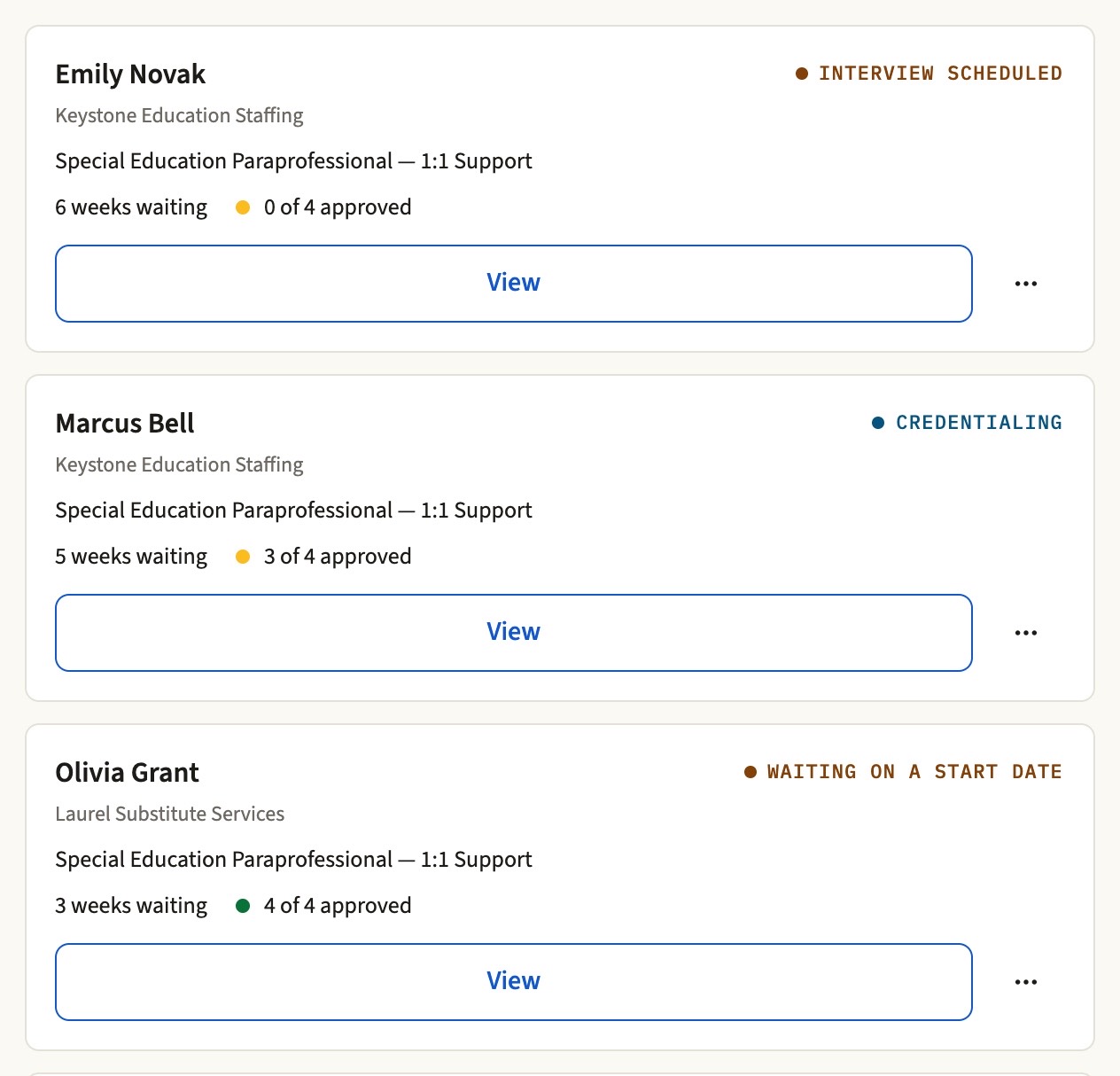
Side by side
| Question | Fullbench | Q360 (per its public materials) |
|---|---|---|
| Cost to the district | No software fee, seat license, or implementation charge. You set a maximum bill rate on every posting, and any submission above it arrives flagged for your office. | No published district cost. Both programs are funded by the participating agencies. |
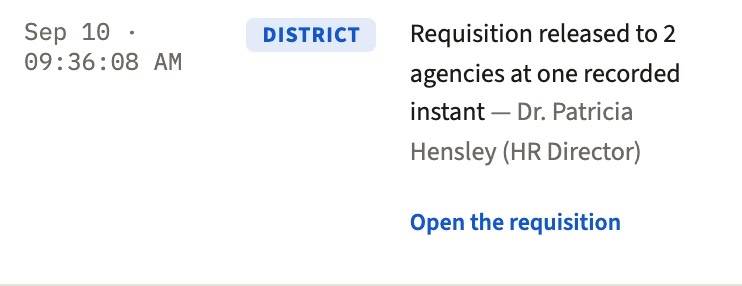
| Who competes to fill your openings | Every approved agency, every opening, released at the same recorded time. When one agency has nobody, the rest are already working it. Agencies cannot advance their own candidates; your office holds every decision. | Describes an "open" network where districts keep final selection. No published release-timing, submission-window, or requisition-distribution rules were located as of August 2026. |
| Do all agencies compete on equal terms? | Every agency approved at your district receives the opening at the same recorded time, and that is the moment the program record measures response time from. The same starting point for everyone, including any agency close to the operator. | Q360's site markets "priority access" to professionals from Quantum, its affiliated staffing company. No release-timing, submission-window, or distribution rules were located as of August 2026. |
| What stops an unapproved start | The program: no start date while any submitted document awaits review, and never without a district-approved file. No one is in front of students on a promise. | Describes credentialing and compliance support as part of its service. Published enforcement mechanics were not located. |
| Seeing it before you sign | The platform is open at demo.fullbench.co: pick a role and look around, no password, no form. A 15-minute walkthrough then runs three screens against your own questions: the release record, the credential gate refusing a start date, and the itemized invoice. | Promises real-time reporting and centralized workflows. No public product portal, login, or product documentation was located as of August 2026. |
| How it's funded | $0 to the district, funded on the agency's side of the invoice, never out of district funds. The agency rate, when it is taken, and how it is itemized are stated in each agency's agreement. | "Typically 5%" per its website; fee mechanics beyond the percentage are not published. |
Based on publicly available information as of August 2026, principally Q360's own pages at quantumedpro.com. "Not published / not located" means exactly that; it is not a claim about what Q360 does or does not do internally. Q360 and Quantum Education Professionals are trademarks of their owner. Spot an error? Tell us and we will correct it.
The takeaway
Both are programs run for you at no cost to the district, so choose on what your schools get. Fullbench shows you all three working, on screen, in 15 minutes.
Comparison last verified 25 August 2026 against Q360's and Quantum Education Professionals' own published materials.
Sources
Checked 25 August 2026. We compare only against what the other program publishes about itself — never against what a salesperson told us.
If anything here is out of date or wrong, tell us at hello@fullbench.co and we will correct it. Q360 is a trademark of its owner; this page exists for factual comparison.
Other comparisons
An Amergis-scale, cross-sector MSP versus an education-only program with published economics.
Licensed VMS software your staff operate versus an operated program. Who runs the workflow, and what it costs the district.
One company's bench at a negotiated markup, or every agency you approve competing under your rate ceiling.
A single-employer program at a negotiated markup, versus many agencies competing on one release log — and what each lets a district check afterwards.
All comparisons, and what VMS, MSP and master vendor actually mean
Next step
Fifteen minutes on your roles, your rate ceilings and the agencies you already use, with the program open. No slides, no obligation, and no cost to your district.
What we cover
You leave with a clear next step. Nothing is signed on the call.
Pick a 15-minute slot. The invite lands in your inbox before you close this.
Times show in your own timezone; we are in Eastern. If the calendar does not load on your district network, open it in a new tab or call (484) 482-8223.
A person replies the same business day, before 5pm ET, with two or three 15-minute slots. Here is the one-page version to forward to whoever else should be on the call.
Prefer to call? (484) 482-8223, weekdays 8 to 5 ET.